ayu in Account Bet and Game Start.
ayu Free Play Live Casino App - Blackjack & Roulette
Our ayu Free Play mode lets you explore live-dealer tables, slot mechanics, and sportsbook features without risking real money. Whether you're in Jakarta, Surabaya, Bandung, Medan, or Semarang, you can load the app, claim free-play credits, and join a blackjack or roulette table to learn the platform at your own pace.
Open an account
Free Play
- Platform
- Category
- Live Table / Card
- RTP
- high
- medium
Free Play on ayu serves two purposes: it's a training ground for new players who want to understand how our live studios work, and it's a way to experience our mobile app's speed and low-data streaming before committing a deposit. You get real-time dealer interaction, genuine game mechanics, and the same interface you'd use with real money—just with play-money stakes.
What ayu Free Play Offers
Free Play is a no-deposit feature built into the ayu app. When you create an account, we credit you with play-money balance—virtual chips that work exactly like real money within the game, except they have no cash value. You can use these credits to join live-dealer tables, spin slot games, or explore our sportsbook interface. Winnings from Free Play stay in your play-money wallet and cannot be withdrawn as cash.
Our live-dealer studios—blackjack, roulette, baccarat, and dragon tiger—all support Free Play. You sit at the same tables as real-money players, interact with the same croupiers, and see the same odds and results. The only difference is your stake is virtual. This transparency means you get an authentic preview of what ayu's live-casino experience feels like before you deposit.

Free Play on ayu removes the barrier to entry. You can test our platform, learn table rules, and build confidence before your first real-money deposit.
Free Play credits are not unlimited. We provide an initial balance when you sign up, and you can request a refresh if your balance runs low. Refreshes are subject to our terms—typically available once per day or per session. This design prevents abuse while keeping the feature accessible to genuine new players.
How to Access and Use ayu Free Play
Getting started with Free Play
To access Free Play on ayu, download our app or visit our website and create an account. You'll provide an email, set a password, and confirm your email address. Once verified, you're logged in and your Free Play balance is ready. No deposit required, no payment method needed at this stage.
-
1
Create your ayu accountRegistration
Sign up with email and password. Confirm your email via the link we send you.
-
2
Log in to ayuAccess
Use your credentials to enter the app. Your Free Play balance appears on your dashboard.
-
3
Navigate to Live CasinoGame selection
Tap the Live Casino section. You'll see available tables: blackjack, roulette, baccarat, dragon tiger.
-
4
Join a tableGameplay
Select a table and confirm you want to play with Free Play balance. Your play-money stake is deducted from your Free Play wallet.
-
5
Request a refresh if neededBalance management
If your Free Play balance runs low, request a refresh from the app menu. Refreshes are typically available once per day.
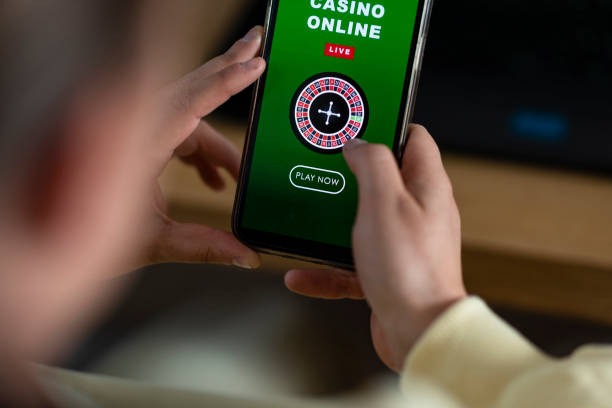
Games available in Free Play
Our live-dealer studios all support Free Play. Blackjack tables let you learn basic strategy and table etiquette. Roulette teaches you bet types and payout structures. Baccarat and dragon tiger offer faster-paced gameplay. Each game uses the same rules and odds as real-money tables, so your learning translates directly.
We also offer slot games in Free Play mode—Aviator, Sweet Bonanza, Gates of Olympus, Fortune Tiger, and Mahjong Ways. These let you understand slot mechanics, bonus features, and volatility without financial risk. Sportsbook odds are viewable in Free Play, though you cannot place real bets without depositing.
Free Play balance and refresh mechanics
Your initial Free Play balance is set when you create your account. We do not publish exact amounts—it varies based on promotions and your region. Once you've used your balance, you can request a refresh. Refreshes are typically available once per calendar day, though during peak seasons (Idul Fitri, Idul Adha, Imlek, Nyepi) we may adjust frequency.
Free Play winnings stay in your play-money wallet. If you win on a blackjack hand, your Free Play balance increases, but you cannot withdraw that amount as cash. Free Play is purely for learning and entertainment. To convert winnings to real money, you must deposit real funds and play with your real-money wallet.
- Play-money balance
- Virtual chips credited to your account for Free Play. Cannot be withdrawn or converted to cash.
- Real-money wallet
- Your actual account balance after you deposit via DANA, e-wallet, mobile banking, local payment, online payment, e-wallet, or bank transfer. Winnings here can be withdrawn.
- Refresh window
- The time period during which you can request a new Free Play balance. Typically once per day.
- Table limits
- Minimum and maximum bet amounts on each table. Free Play tables have the same limits as real-money tables so you learn realistic betting ranges.
Mobile app experience during Free Play
Our ayu app is optimised for low-data streaming, which matters during Free Play. You might be testing the platform on a slower connection or limited data plan. Our compression technology ensures live-dealer video loads smoothly even on 3G. You see the croupier, the table, and the action without buffering delays.
Free Play sessions work identically to real-money sessions from a technical standpoint. The only difference is your stake source. This means if the app performs well during Free Play, it will perform equally well once you deposit and play for real. You're not experiencing a "lite" version—you're experiencing the full ayu platform with play money.
Tips and Notes for ayu Free Play
Free Play is a risk-free way to understand ayu's platform, table rules, and mobile experience. Use it to build confidence before your first real-money deposit.
Learning table strategy during Free Play
Blackjack strategy is learnable. During Free Play, study basic strategy charts—when to hit, stand, double, or split based on your hand and the dealer's up card. Practice these decisions without pressure. Once you deposit and play for real, you'll have muscle memory for optimal plays.
Roulette has no strategy—it's pure chance. But Free Play lets you understand bet types: inside bets (single numbers, splits, streets) pay higher odds but hit less often; outside bets (red/black, odd/even, dozens) pay lower odds but hit more frequently. Experimenting with different bet combinations in Free Play helps you decide your real-money approach.
Baccarat and dragon tiger are fast-paced. Use Free Play to get comfortable with the pace, understand hand rankings, and decide whether you prefer betting on banker, player, or tie. Once you transition to real money, you'll already know the rhythm.
Transitioning from Free Play to real-money deposits
When you're ready to deposit, ayu makes it simple. Go to your account settings and select "Deposit." We accept DANA, e-wallet, mobile banking, local payment, online payment, e-wallet, and bank transfers (mobile banking, local payment, online payment, e-wallet). Choose your preferred method and follow the checkout flow. Deposits clear within seconds to minutes depending on your payment provider.
Before your first withdrawal, we'll ask for account verification. This is a one-time process: we request government-issued ID and proof of address. Verification protects both you and ayu against fraud. Once verified, all future deposits and withdrawals process smoothly without additional verification steps.
Your real-money wallet is separate from your Free Play balance. When you deposit, funds go to your real-money wallet. You can then choose to play with real money or continue using Free Play—both options are available simultaneously. Many players use Free Play to warm up, then switch to real-money tables once they feel ready.
Payment options and withdrawal flow
We support eight payment methods to match how Indonesians move money. mobile banking, local payment, online payment, and e-wallet deposits are instant. mobile banking and local payment transfers typically clear within minutes. Bank transfers (online payment, e-wallet, mobile banking, local payment) may take longer depending on business hours and your bank's processing speed. Check our app for current processing times.
Withdrawals use the same method you deposited with. If you funded via online payment, your winnings go back to e-wallet. This consistency prevents confusion and keeps your money in accounts you control. Withdrawal requests are processed subject to verification windows—we check your account details to prevent fraud. Once approved, your money transfers to your payment method.
We do not publish exact withdrawal times because they depend on your bank or e-wallet provider. mobile banking and e-wallet withdrawals typically complete faster than bank transfers. If a withdrawal appears delayed, contact our English-speaking support team via the app. We can investigate and escalate to payment partners if needed.
Account verification and jurisdiction requirements
Free Play does not require verification—you can start immediately after email confirmation. However, once you deposit real money, we'll ask for ID and address proof before your first withdrawal. This is standard practice across regulated platforms and protects your account.
Our services are available only where local law permits. If you live in a jurisdiction where online wagering is prohibited, you are not eligible to use ayu, including Free Play. Users are responsible for verifying that their access complies with their own jurisdiction's law. If your location or circumstances change, re-check your eligibility before continuing.
Frequently asked questions about Free Play
Can I convert Free Play winnings to real money? No. Free Play balance is virtual and cannot be withdrawn. To play for real money and withdraw winnings, you must deposit real funds into your real-money wallet.
How often can I refresh my Free Play balance? Typically once per calendar day. During promotional periods, we may increase refresh frequency. Check the app for current refresh availability.
Do Free Play tables have the same odds as real-money tables? Yes. Free Play tables use identical rules, odds, and croupiers as real-money tables. The only difference is your stake is virtual.
Can I play Free Play and real-money games in the same session? Yes. You can switch between your Free Play wallet and real-money wallet anytime. Many players use Free Play to warm up, then move to real-money tables.
What happens if I run out of Free Play balance? Request a refresh from the app menu. If refreshes are unavailable, you can deposit real money to continue playing, or wait until the next refresh window opens.
Is Free Play available on desktop and mobile? Yes. ayu Free Play works on both our mobile app and web browser. The experience is identical—same tables, same odds, same low-data streaming technology.